ClaudeCodexCursorGeminiClaude forgets your repo. Memophant remembers.
Your knowledge graph, wiki, design system, code map, task board, sessions, documents, and credentials — one native app, your repo is the sync. Everything lives in your git repo as plain markdown: self-contained, portable through GitHub, and handed to the next session already up to speed.
Built in Swift for macOS 15+ — Apple Silicon and Intel.
30-day trial · $49.99 one-time · available now. That's it.
A fresh agent. A repo it had never seen. Fluent in 30 seconds.
claude · Opus 4.7 · 1M context~/Developer/Scarf
✦ new session · zero prior context
❯ Using the memophant tools, describe this app.
✻ Thinking…
⏺memophantlist_memory_projects
scarf → .memory/
scarf-wiki → wiki/
scarf-design → design/
scarf-code → code/
scarf-sessions → sessions/
Here's what Scarf is, pulled from repo memory:
Product
A native macOS GUI companion for the Hermes AI agent — full visibility into a Hermes install (sessions, tools, memory, cron, plugins, gateway, settings) without poking at ~/.hermes by hand.
Targets
Scarf — macOS 14.6+ (Sonoma), Swift 6 / Xcode 16+.
ScarfGo — iPhone (iOS 18+) over SSH via Citadel; public TestFlight. Shares the ScarfDesign package; ships in 7 locales.
How it talks to Hermes
Reads ~/.hermes/ directly (sandbox disabled); read-only on state.db (SQLite WAL).
Chat over ACP (Agent Client Protocol) via a hermes acp stdio subprocess; remote tunnels through SSH.
Architecture
Multi-window (Scarf 2.0+) — each window bound to one Hermes server.
MVVM-E: features self-contained, never import siblings; a single @Observable AppCoordinator owns navigation.
No core deps beyond system SQLite3 / Foundation — plus Sparkle, SwiftTerm, Citadel.
MIT-licensed. Developer ID signed + notarized Universal/ARM64 zips on GitHub Releases, auto-updated via Sparkle.
Where it is right now
You're on feat/projects — Milestones 1–3 shipped (first-class Project object, mini-apps, Fleet/Portfolio); the in-flight diff is a one-click Project Upgrade service + a scarf-miniapp-author skill.
Memophant MCP is alive and well — every query answered cleanly.▋
✓ 6 tool calls · 30s · zero prior context
No priming prompt, no spelunking — it called Memophant's MCP tools six times and described the app, its architecture, even the branch it was mid-work on, entirely from repo-resident memory. That's the whole promise: every session starts already up to speed.
* Yes, this is real — a quick, pre-release test.
Speaks every agent's language
Claude CodeMCPAGENTS.mdgitCursorGitHubGEMINI.md.cursor/rulesClaude CodeMCPAGENTS.mdgitCursorGitHubGEMINI.md.cursor/rules
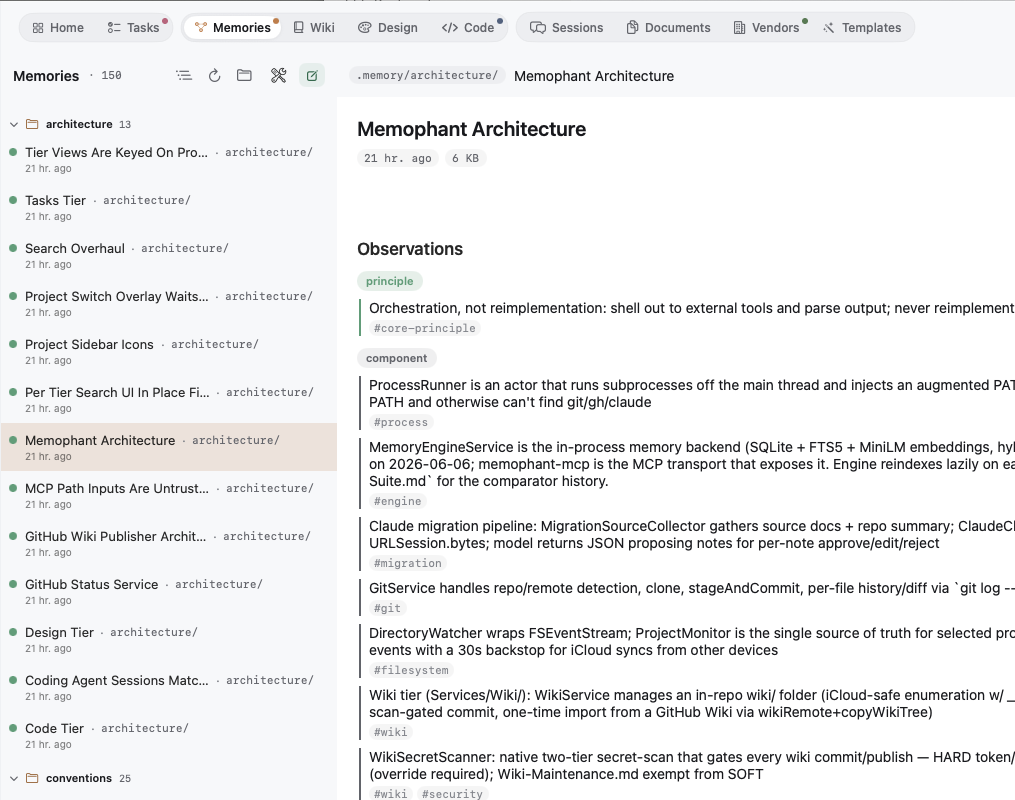
AI coding sessions forget what the last one learned. Long-form CLAUDE.md files grow stale, get truncated, and quietly rot. Memophant fixes that — by treating your repo itself as the memory store.
Every note remembers the commit it was written against. When the code drifts, the note shows as stale on the dashboard — so memory never quietly rots while agents act on it.
Hand Memophant a Claude Code transcript and it proposes durable memory — merges, new relations, reclassifications. You approve note by note. The lesson stays; the noise doesn't.
Everything your agents need to remember — in one native app.
No tab sprawl, no stack of subscriptions. Every tier reads and writes plain files in your repo, grouped into the knowledge agents read and the workspace they act in.
Setup is easy. Memophant's real work is keeping that memory durable as your code changes.
01
Install the app
Download Memophant for macOS and open it. No account, no cloud sign-up — your Anthropic key lives only in your Keychain.
02
Register your repo
Point Memophant at a git repo. It bootstraps .memory/, wiki/, design/, and thin managed pointer blocks (CLAUDE.md, AGENTS.md, GEMINI.md) that teach any agent the system.
03
Distill a session
Feed it a Claude Code transcript. Memophant proposes durable notes; you approve them. They commit as plain markdown alongside your code.
04
Never re-explain
Next session, your agent reads the memory through the MCP server and starts up to speed. Drift gets flagged so the knowledge stays true.
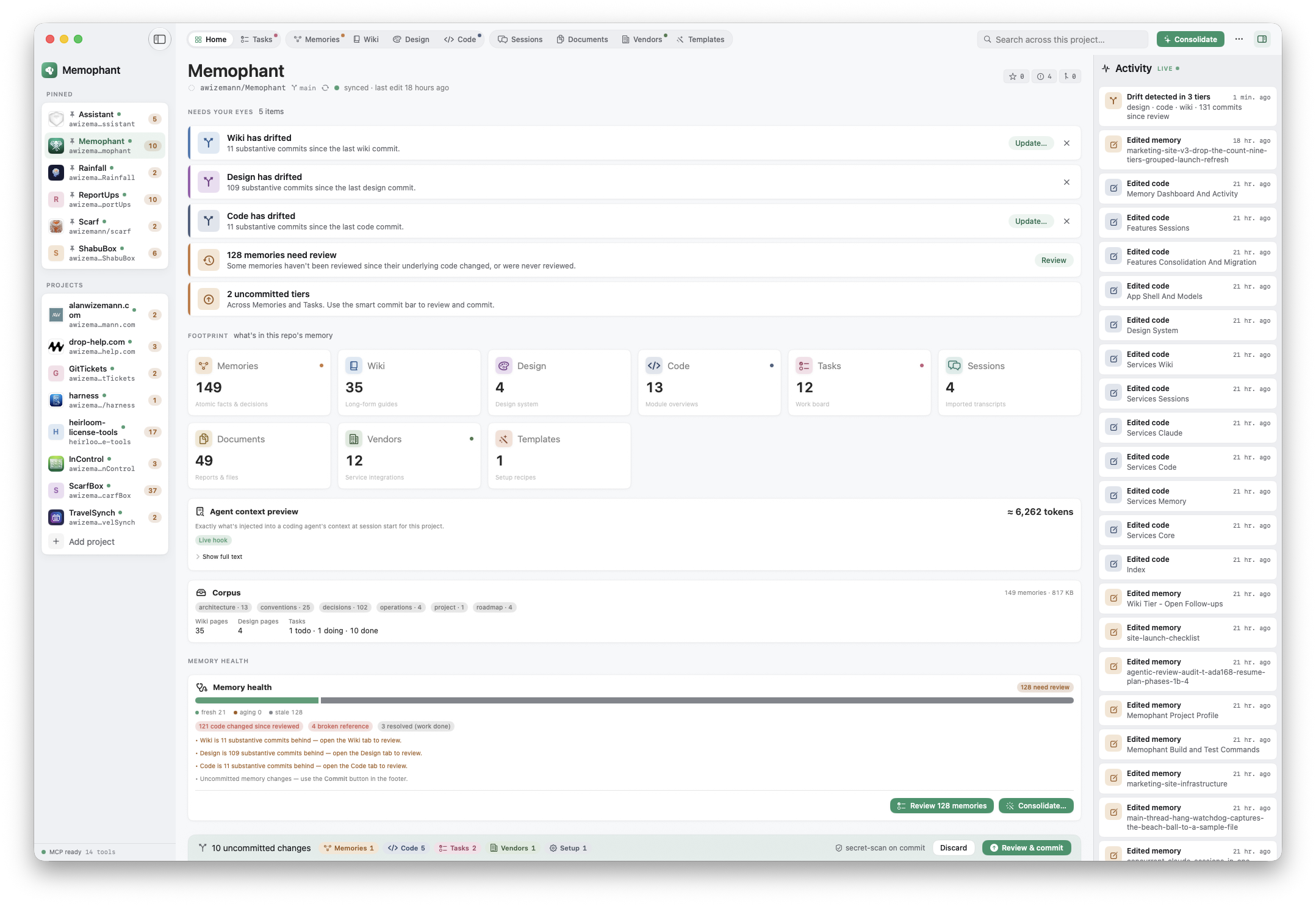
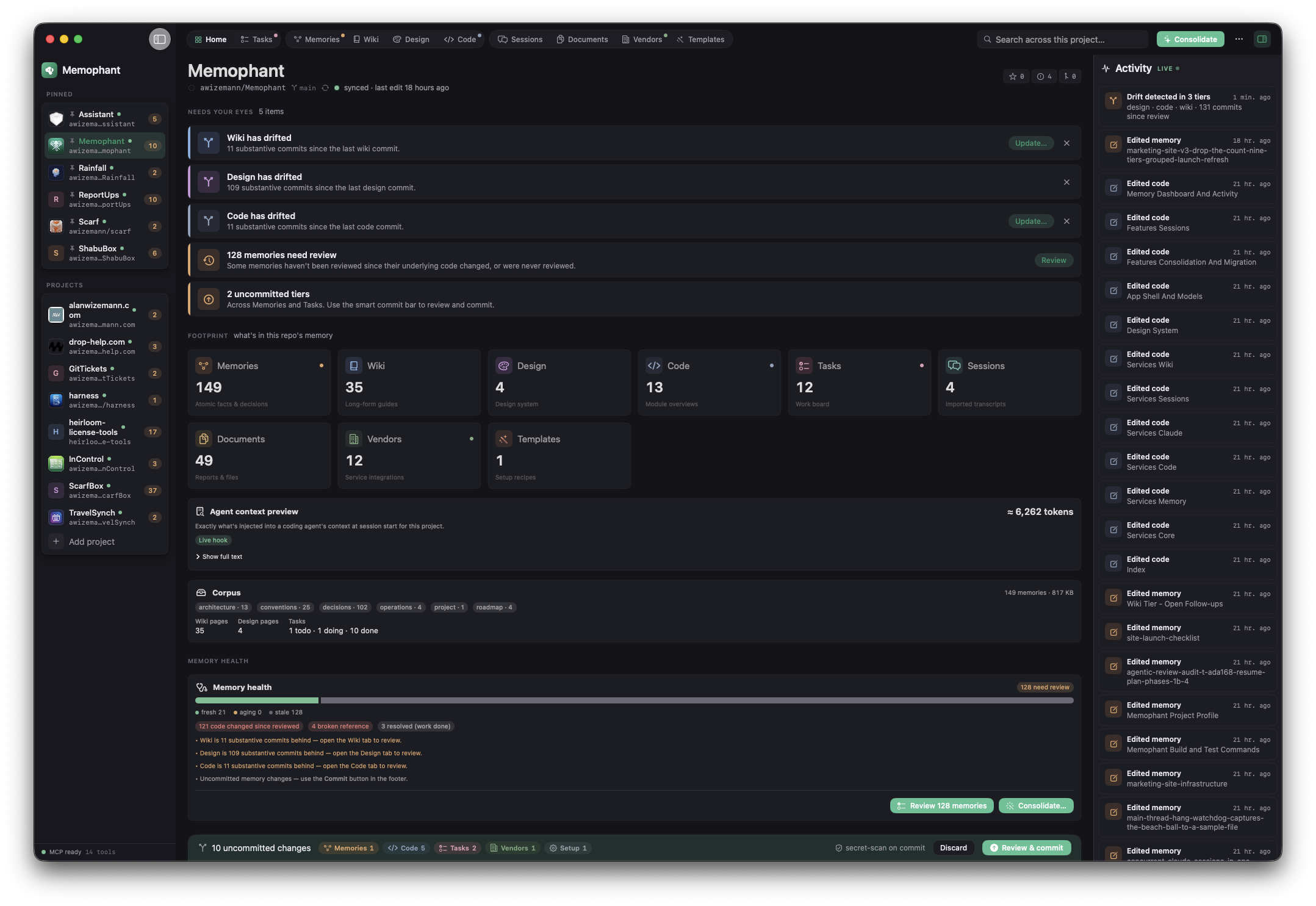
Open the app and see exactly what your repo remembers.
Needs-your-eyes at the top. Footprint and memory health below. A live activity feed of every note, drift, and commit on the right.
Every agent, through MCP
Memory wired to every AI editor — through the same MCP server.
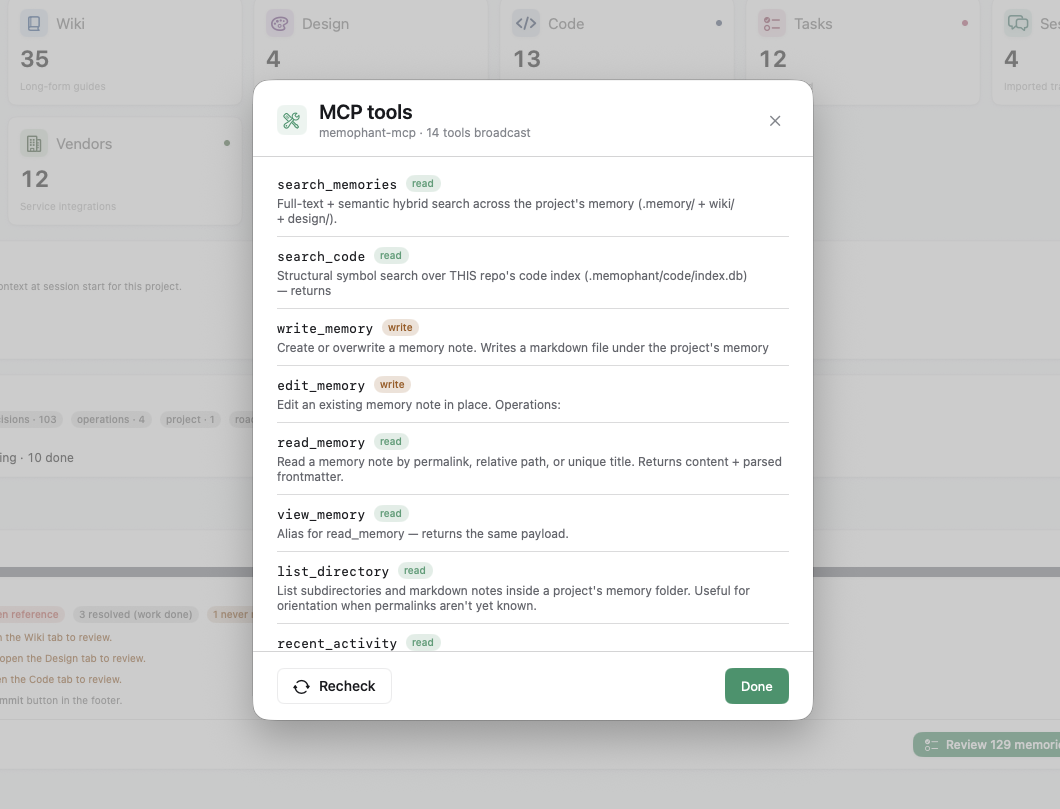
Memophant runs a bundled MCP server, so whichever agent you reach for — Claude Code, Cursor, Codex, Gemini — reads your memory at the start of every session. No copy-paste, no stale context window. In-app actions like Consolidate, Distill, and Migrate use Claude under the hood; your editor stays yours to pick.
Bundled MCP server — zero extra daemons
Your API key stays in the macOS Keychain
Per-item approve, edit, or reject — you stay in charge
No vendor lock-in. The format is plain markdown, indexed by Memophant's own built-in memory engine — no external CLI to install. Every commit runs a two-tier secret-scan — known token patterns hard-block, secret-like assignments warn — so nothing dangerous reaches your repo. Real credentials live in the macOS Keychain, never in a committed file. And the license is deliberately soft-gate: if you stop paying, you lose access to growth (new projects, agentic workflows, MCP for your editor) — never to your data.
Two-tier secret-scan on every commitVendor secrets stay in your Keychain — agents touch them only with your approvalNon-sandboxed, but nothing leaves your machine uninvitedSoft-gate — your data stays editable even if you stop payingHeirloom License — becomes open source if it's ever abandoned
For everyone who's tired of re-explaining the repo.
Solo developers
Stop re-onboarding your agent every morning. Your decisions, conventions, and gotchas wait in the repo — so your assistant is as caught-up as you are.
One-time purchase, yours foreverNo team setup, no cloud account
Teams
End the divergent-agent problem. Everyone's sessions write to one shared, reviewable memory — and drift gets flagged before anyone acts on stale facts.
Plain-markdown, reviewed in normal PRsProvenance on every note
Agencies & consultants
Spin up per-client repos that already know their conventions, credentials, and setup steps. Hand off projects with their memory intact — no tribal knowledge walking out the door.
Per-repo registry on your MacPortable: it's just files
One quiet price. A full month to fall for it, then a one-time purchase with a year of updates — and the Heirloom guarantee baked in. No subscription; one license per person.
Memophant is independent software, built and supported by one person. The Heirloom License is how that becomes a strength, not a risk you have to take on faith.
Alan Wizemann
Founder & developer, Memophant
WSJ Technology Council
I'm Alan. For 25+ years I've built and led digital product teams — at Target, lululemon, Dollar Shave Club, Quip, and Munchkin among others — shipping software used by millions, from Target's Cartwheel to direct-to-consumer platforms.
Memophant is the tool I wanted for myself: a calm, native home for the project memory my AI sessions kept forgetting. I'm building it in the open, one careful release at a time — and standing behind it with a license that protects you if I ever can't.
The honest worry about any indie Mac app — answered in the license, not in a promise. If Memophant is ever truly abandoned, the source opens under MPL-2.0 automatically, forever.
A normal paid product while it's actively maintained
12 months dormant + unanswered support triggers Sunset
Your memory is plain markdown in your repo regardless
Yes — it's available now. Download the free 30-day trial from this site (no card required), then buy the $49.99 license whenever you're ready. No drip campaign, no upsell.
Start with a free 30-day trial. After that it's a one-time $49.99 purchase that includes a year of updates and works on all your Macs. No subscription — it's one license per person, so each teammate buys their own seat.
You keep reading, editing, searching, committing, and publishing your existing memory — for free, forever. What requires the $49.99 license is the agentic side: adding new projects, the Consolidate workflow, Run with Claude on tasks, Memory Audit, Session Distill, and the MCP server that wires memory into Claude Code, Cursor, Codex, and Gemini. The full breakdown lives on the pricing page.
Every kind of project knowledge gets its own tier, all plain files in your repo: a knowledge graph, a long-form wiki, a design system, a queryable code-symbol index, a kanban board, imported agent sessions, a document store for plans and audits, a vendor registry for credentials (the secrets live in your Keychain), and reusable project templates. Each has its own home, so memory stays atomic and the rest doesn't clutter it.
No. Memophant is non-sandboxed so it can run git and read the repos you point it at, which the App Store doesn't allow. You'll buy and download it directly from this site through a trusted checkout partner.
It's released under the Heirloom License: if Memophant is ever truly abandoned, the source automatically becomes open under MPL-2.0 — forever. And your memory is just markdown in your own repo, so you keep it regardless.
Only for the in-app AI actions — Distill, Consolidate, Run with Claude, Memory Audit. Without a key you still get everything else: the MCP server, hybrid search, drift detection, and capturing memory by hand. Reading, editing, search, and commits never touch Anthropic, and they stay free. The AI actions run on your own Anthropic key today (default model is Haiku, so a pass is typically pennies, and you can set a token-budget cap) — support for other providers and local models is on the roadmap. Your key lives solely in the macOS Keychain — never on a Memophant server (we run no storage for your data), never in a log.
Yes. Memory is plain markdown reviewed in normal pull requests, with provenance on every note. Everyone's sessions write to one shared store instead of divergent private scratchpads. Licensing is one seat per person, so each team member buys their own.
If Memophant isn't for you, email hello@memophant.co within 14 days of purchase for a full refund. The trial means most people know well before they ever pay.
Give your repo a memory that never resets.
Available now — your free 30-day trial starts the day you download it.